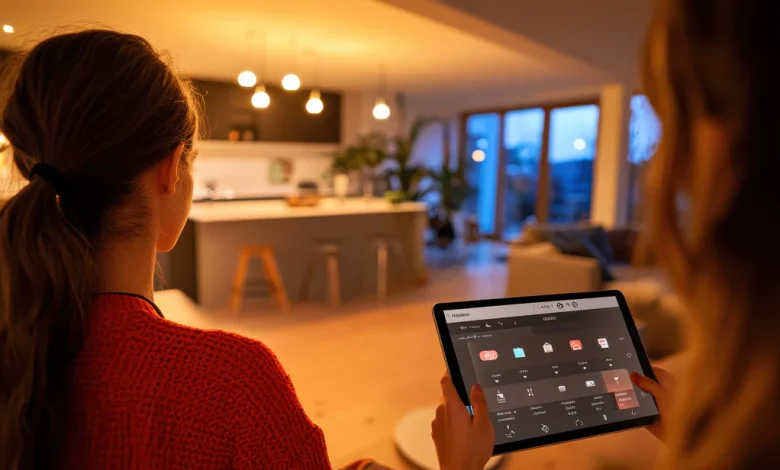
Smart home automation allows homeowners to control lighting, appliances, security systems, and climate settings through smartphones, voice assistants, or scheduled routines. For beginners, setting up a smart home may seem complex at first, but starting with the right plan makes the process straightforward and practical.
This guide explains how smart home automation works, which devices to choose first, and how to build a reliable system step by step.
What Smart Home Automation Means
Smart home automation refers to connecting household devices through internet-enabled technology so they can be monitored and controlled remotely or automatically.
Common automation features include
- Voice controlled lighting systems
- Remote temperature adjustment
- Smart security monitoring
- Automated schedules for appliances
- Energy usage tracking
These features help improve convenience, safety, and efficiency in daily living.
Benefits of Smart Home Automation
Home automation offers practical advantages beyond convenience. It improves lifestyle quality and reduces unnecessary energy consumption.
Key benefits include
- Better control over household systems from anywhere
- Improved security through smart surveillance devices
- Reduced electricity usage with automated scheduling
- Increased comfort through climate management
- Time savings in daily routines
Even small upgrades can significantly enhance how a home functions.
Essential Smart Home Devices Beginners Should Start With
Starting with a few reliable devices helps beginners build confidence before expanding their automation system.
Smart Speakers or Voice Assistants
Smart speakers act as the control center of most home automation setups. They allow users to manage devices using voice commands or mobile apps.
Examples of supported functions include
- Turning lights on and off
- Setting reminders
- Controlling appliances
- Managing daily schedules
Smart Lighting Systems
Smart bulbs and switches allow users to control brightness levels, colors, and timing through mobile apps.
Benefits include
- Energy savings
- Improved ambiance control
- Automatic scheduling
- Remote operation while traveling
Smart Plugs
Smart plugs convert traditional appliances into automated devices without replacing them.
They allow users to
- Turn appliances on remotely
- Set usage timers
- Monitor electricity consumption
Smart Thermostats
These devices help maintain comfortable indoor temperatures while reducing energy costs through automatic adjustments.
Step By Step Smart Home Automation Setup Process
Setting up automation becomes easier when completed in a structured order.
Choose a Reliable Smart Home Platform
Popular platforms allow devices from different brands to work together. Selecting one platform first ensures compatibility across devices.
Consider
- Voice assistant support
- Device compatibility
- Ease of mobile app usage
- Long term expansion capability
Strengthen Home Internet Connectivity
Automation systems depend heavily on stable internet connections.
Important improvements include
- Installing a strong wireless router
- Positioning the router centrally
- Reducing signal interference
- Using secure passwords
Start With One Room First
Testing automation in a single room helps beginners understand device behavior before expanding across the house.
A typical starter room may include
- Smart bulb
- Smart plug
- Voice assistant device
Install Devices Using Manufacturer Apps
Each device includes a setup process through its companion mobile application.
Follow instructions carefully for
- Connecting to wireless networks
- Updating firmware
- Linking to voice assistants
Create Simple Automation Routines
Automation routines allow devices to perform actions automatically based on schedules or triggers.
Examples include
- Turning lights on at sunset
- Switching appliances off at bedtime
- Adjusting temperature before waking hours
Smart Home Security Automation Options
Security automation improves protection without requiring complex installation.
Common smart security upgrades include
- Video doorbells
- Motion detection sensors
- Smart locks
- Indoor monitoring cameras
These devices provide real time alerts and remote monitoring access through mobile applications.
Tips For Expanding Your Smart Home System Safely
Expanding gradually prevents compatibility issues and unnecessary expenses.
Recommended strategies include
- Purchasing devices compatible with your existing platform
- Updating software regularly
- Securing wireless networks with strong passwords
- Avoiding unknown device manufacturers
- Monitoring device permissions in mobile apps
Planning upgrades carefully ensures a stable and secure automation experience.
Energy Saving Advantages Of Smart Automation
Automation systems help reduce unnecessary electricity usage by optimizing appliance operation schedules.
Energy saving examples include
- Turning off unused lighting automatically
- Adjusting thermostat settings based on occupancy
- Scheduling appliances during off peak hours
- Monitoring real time power consumption
These adjustments reduce long term utility expenses while supporting environmentally responsible living.
Common Mistakes Beginners Should Avoid
Avoiding early mistakes improves reliability and prevents frustration during setup.
Common beginner mistakes include
- Purchasing incompatible devices from different ecosystems
- Ignoring network strength requirements
- Skipping firmware updates
- Installing too many devices at once
- Overlooking security settings
Starting small ensures a smoother learning experience.
Future Possibilities With Smart Home Automation
Smart home technology continues to evolve rapidly. Future improvements are expected to include deeper device integration and more intelligent automation routines based on behavior patterns.
Emerging trends include
- Predictive automation using usage habits
- Improved voice recognition accuracy
- Advanced energy optimization systems
- Enhanced privacy protection features
These developments will make automation systems more efficient and easier to manage.
Frequently Asked Questions
How much internet speed is required for smart home automation systems
Most smart home devices work efficiently with stable broadband connections of moderate speed. Consistent connectivity matters more than very high speed plans.
Can smart home devices work during power outages
Most automation devices stop functioning during outages unless connected to backup power systems such as inverters or battery supported hubs.
Is smart home automation suitable for rental properties
Yes. Portable devices like smart plugs and smart bulbs can be installed without permanent modifications and removed when relocating.
How often should smart home devices be updated
Software updates should be installed whenever available to maintain compatibility, performance stability, and security protection.
Can multiple users control the same smart home system
Yes. Most platforms allow multiple family members to access and control devices through shared permissions.
Do smart home systems increase property value
Modern automation features can improve property appeal and may contribute to higher resale interest depending on buyer preferences.
Are smart home devices difficult to maintain over time
Most devices require minimal maintenance beyond occasional updates, cleaning, and checking connectivity status.